
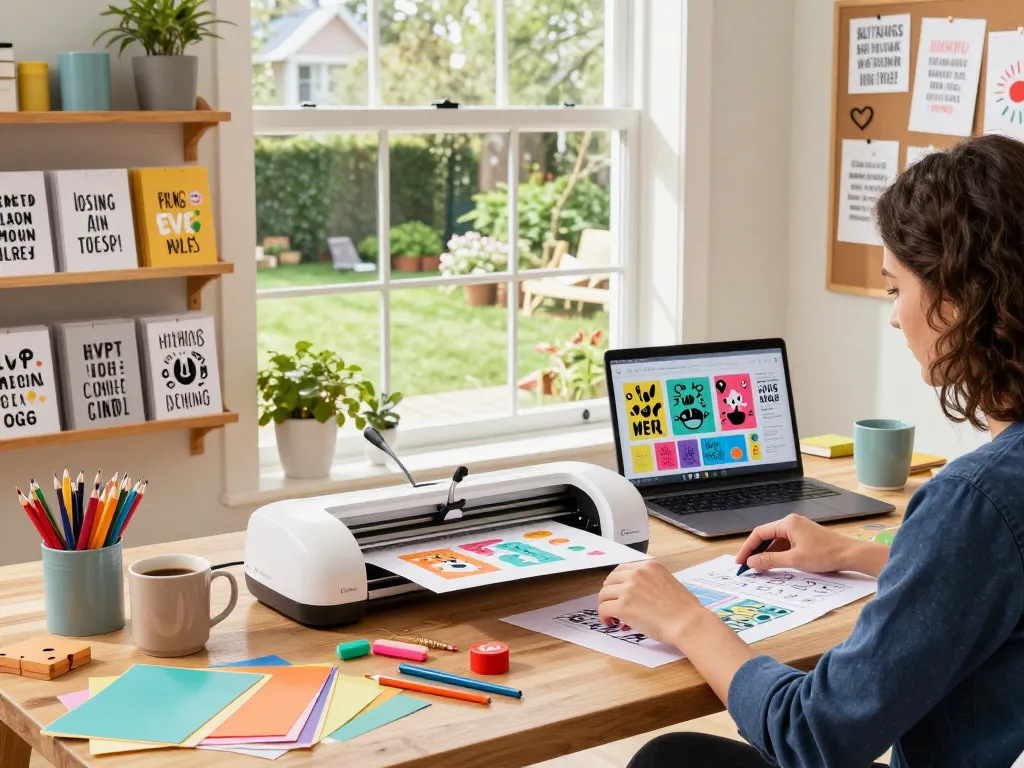
Understanding SVG Files: The Basics
In the world of digital design and crafting, SVG files have become an essential format for anyone looking to create visually appealing projects. SVG, or Scalable Vector Graphics, is a versatile and widely supported format that allows designers to create complex graphics that can be scaled to any size without losing quality. This flexibility makes SVGs particularly popular among crafters who use cutting machines like Cricut and Silhouette. With the rise of crafting communities and DIY projects, understanding SVG files has never been more critical for both seasoned creators and newcomers alike.
What Are SVG Files and Their Benefits?
SVG files are a type of vector graphic format that utilize XML to define images, allowing them to maintain clarity at any size. One of the key benefits of using SVG files is their scalability, which means you can resize these images without worrying about pixelation. This feature is particularly advantageous for crafters who might want to create designs for various applications, from small stickers to large banners.
- High Quality: SVGs retain their quality at any size.
- Editability: SVG files can be easily edited with any text editor, allowing for customization.
- Interactivity: SVGs can support animation and interactivity, making them ideal for web applications.
How SVG Files Differ from Other Formats
Unlike raster graphics (like JPEGs or PNGs), which are made up of pixels, SVG files are vector-based. This means they are composed of paths defined by mathematical equations, allowing them to be infinitely scalable. When compared to formats like PNG, which can become blurry when expanded, SVG files remain crisp and clean. This quality makes SVG files particularly valuable in crafting, where precision and detail matter.
Common Uses of SVG Files in Crafting
SVG files have a range of applications in the crafting community:
- Vinyl Cutting: Perfect for creating decals and stickers.
- Custom Apparel: Used to design unique graphics for t-shirts and hoodies.
- Home Decor: Ideal for making wall art, signs, and greeting cards.
Exploring Popular SVG File Types
With thousands of SVG files available online, it’s crucial to understand the different types and their specific uses. When it comes to finding quality SVG files, Svg files offer a comprehensive range of options suitable for various projects.
Bundled SVG Files: A Cost-effective Choice
Bundled SVG files provide a collection of designs at a lower price compared to purchasing individual files. This approach is especially beneficial for crafters seeking to expand their inventory without breaking the bank. By opting for bundles, users can acquire numerous designs for just a fraction of the cost.
Single SVG Designs vs. Bundles: Which to Choose?
Deciding between single SVG designs and bundles depends on your specific crafting needs. If you only need a few designs for a particular project, single files may suffice. However, if you’re planning on engaging in multiple projects or need a variety of designs, bundles often present a more economical solution.
Trends in SVG Designs for 2026
As we move into 2026, certain trends are emerging within the SVG community:
- Personalization: More individuals are seeking unique designs that reflect their personal style.
- Minimalistic Designs: Simple, clean designs are gaining popularity for their versatility.
- Nature-Inspired Themes: Crafting designs inspired by natural elements are on the rise.
Finding Quality SVG Files Online
With the vast selection of SVG files available online, it can be overwhelming to know where to start. Knowing which platforms offer high-quality designs will enhance your crafting experience significantly.
Top Platforms for Downloading SVG Files
Several online platforms specialize in offering SVG files, catering to a range of artistic preferences and budgets:
- SVGBundle: Offers a vast collection of SVG files, including bundles and popular themes.
- Design Bundles: A well-known site that provides both free and premium SVG files.
- Creative Fabrica: Features a large selection of SVG designs, often with commercial use licenses.
Evaluating the Quality of SVG Files
When searching for SVG files, quality is paramount. Look for files that are:
- Compatible with your cutting machine.
- Well-reviewed by other crafters.
- High resolution for sharp output.
Understanding Licensing for SVG Files
Not all SVG files come with the same licensing agreements. It’s essential to understand what you’re allowed to do with the files you download. Some may allow commercial use, while others are limited to personal projects. Always read the licensing terms before using any SVG file to avoid potential infringements.
Best Practices for Using SVG Files in Projects
To maximize your crafting endeavors, implementing best practices when using SVG files can save you time and improve your outcomes.
Essential Tools for Working with SVG Files
Several tools can help you get the most out of your SVG files:
- Cricut Design Space: A popular software among Cricut users for editing and arranging SVG files.
- Inkscape: A free vector graphics editor that allows for complex SVG editing.
- Adobe Illustrator: A professional-grade graphic design software ideal for creating and customizing SVGs.
Tips for Customizing SVG Designs
Customizing SVG designs can enhance their personal touch:
- Experiment with colors and patterns to create unique designs.
- Layer multiple SVG files for more intricate projects.
- Utilize different materials, such as vinyl, paper, or fabric, to expand your crafting capabilities.
Common Mistakes to Avoid with SVG Files
Even seasoned crafters can make errors when working with SVG files. Here are common pitfalls to avoid:
- Failing to check compatibility with your cutting machine.
- Ignoring licensing agreements.
- Not performing a test cut before using expensive materials.
The Future of SVG Files in Crafting
The landscape of SVG files is continually evolving, making it essential for crafters to stay informed about emerging trends and technologies.
Emerging Trends for SVG Files in 2026
As we look forward, several trends are anticipated to shape the future use of SVG files in crafting:
- Sustainable Materials: An increasing demand for eco-friendly crafting materials will influence SVG design and production.
- Augmented Reality (AR): The integration of AR technologies will allow for interactive SVG file applications.
- Community-driven Designs: More platforms are encouraging users to share and collaborate on SVG projects.
How Technology Will Shape SVG File Usage
Technological advancements continue to influence the way SVG files are created and utilized. Innovations in cutting machine capabilities, software enhancements, and user interfaces will all contribute to a more dynamic crafting experience.
Innovative Crafting Ideas with SVG Files
As more people engage in crafting, unique ideas are emerging utilizing SVG files:
- Create personalized gifts, such as custom mugs or photo albums.
- Design intricate holiday decorations that can be reused or gifted.
- Produce educational materials using interactive SVGs for teaching purposes.
What Are the Advantages of SVG Files?
SVG files offer numerous advantages for crafters, including:
- Versatility across projects and mediums.
- Compatibility with most cutting machines.
- Extensive support for complex designs and animations.
Where Can You Find Free SVG Files?
Exploring free SVG file resources can significantly enhance your crafting library without stretching your budget. Websites like FreeSVG.org and SVGRepo provide vast libraries of free SVG files for personal and commercial use.
How to Create Your Own SVG Files?
Creating your SVG files can be a rewarding venture. You can use software like Inkscape or Adobe Illustrator to design custom graphics tailored to your specifications. Once created, saving your design as an SVG will ensure it is scalable and ready for your crafting projects.
What Tools Support SVG File Editing?
Various editing tools are available for working with SVG files, including:
- Online editors like Vectr.
- Vector graphic software such as CorelDRAW.
- CAD software for more technical designs.
Are SVG Files Suitable for Professional Use?
Yes, SVG files are widely accepted in professional design work, including web and print media. Their scalability and high quality make them ideal for commercial projects, allowing designers to produce work that meets industry standards.
What Formats Can SVG Files Convert To?
SVG files can be converted into various formats including PNG, JPEG, and PDF, allowing flexibility in how they are used across different platforms and mediums.